Elevate your access with Apple Wallet
Take access to new heights with Apple Wallet
Your mobile credential, now on iPhone and Apple Watch
with Apple Wallet
Solo acerca tu iPhone o Apple Watch al lector NÜO para abrir la puerta
Move seamlessly
From the moment you arrive at the parking area to accessing your private office, enjoy a fully uninterrupted access experience.
Easy access
to parking
Smooth
building entry
Effortless
speedgate access
Top elevator
experience
Frictionless access
to your office
Goodbye
plastic…
Hello Wallet!
Access with your iPhone
With NÜO and Apple Wallet, open doors in seconds. From the
NÜO Card app, add your employee badge to Apple Wallet on your iPhone
or Apple Watch for easy access to every space in your company.
Also works
with Apple Watch
Extra security with Face ID and Touch ID
A more personal, non-transferable access with an extra layer of security, thanks to user authentication with Face ID or Touch ID on iPhone.
Privacy?
Yes, please
Your employee badge in Apple Wallet makes the most of iPhone’s built-in privacy features, putting your security first at every level.
Your credentials are stored directly on your iPhone or Apple Watch, so Apple can’t see where users go, helping keep their data private and secure.
to digital credential
Access with your iPhone and Apple Watch
Integrates easily with your organization’s access control systems, delivering a fast, seamless experience.
Require user authentication
with Face ID or Touch ID on iPhone.
Access becomes personal and non-transferable,
with an extra layer of security.
Privacy?
Yes, please
In Apple Wallet, employee badges are stored
on the personal device, ensuring that
Apple never accesses any information.
Put privacy and security first with
the device’s built-in features.
In Apple Wallet, employee badges are stored on the personal device, ensuring that Apple never accesses any information. Put privacy and security first with the device’s built-in features.
No need
to open
the app
No need
to open the app
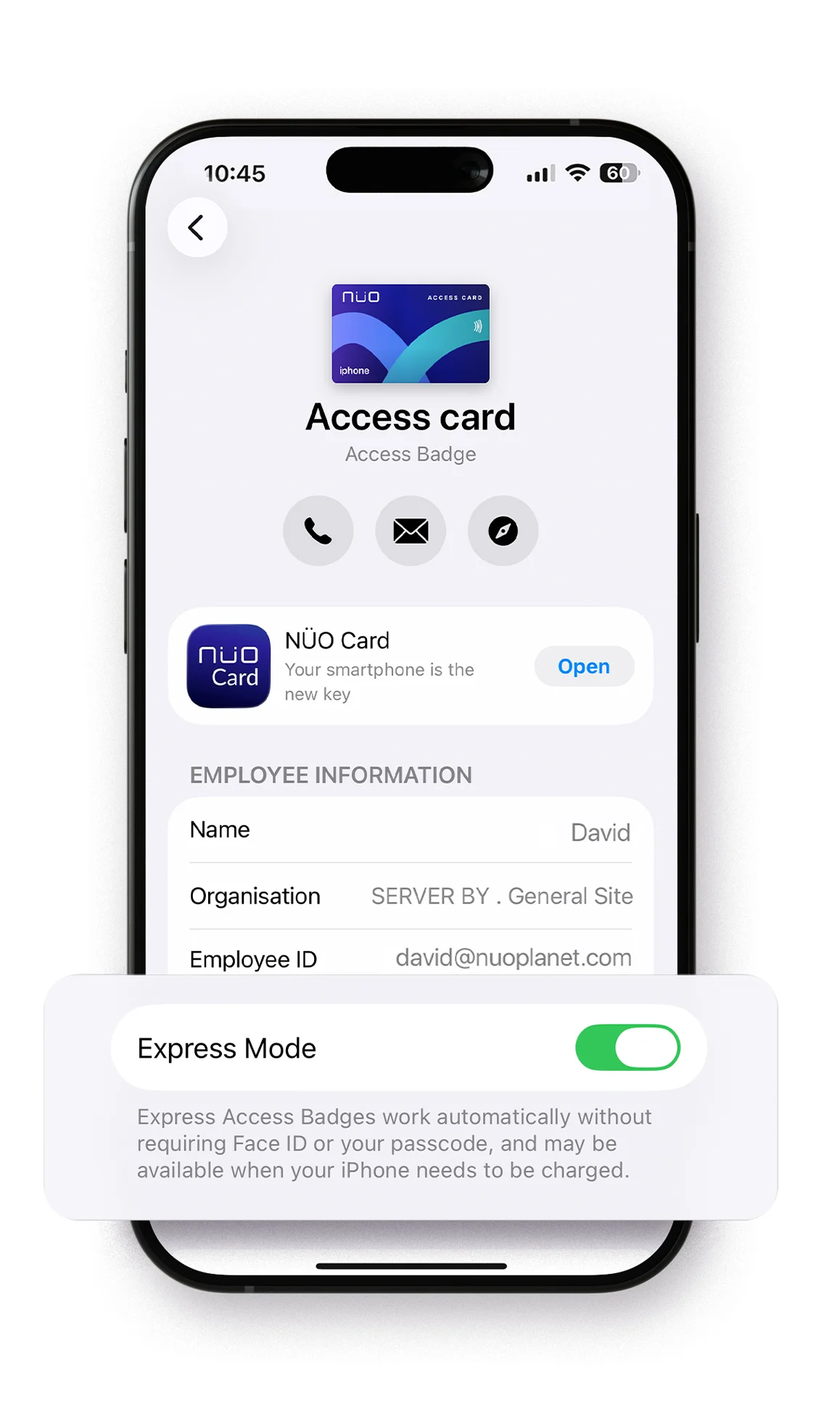
Express Mode
Peak performance
With Express Mode turned on for
your Apple Wallet card, you won’t need to unlock
your iPhone or Apple Watch to use your mobile
credential quickly and easily.
Express Mode
Peak performance
Turn on Express Mode for your NÜO access card and use your credentials in Apple Wallet without unlocking your iPhone or Apple Watch.
Don't fall short of the finish line
Get in even
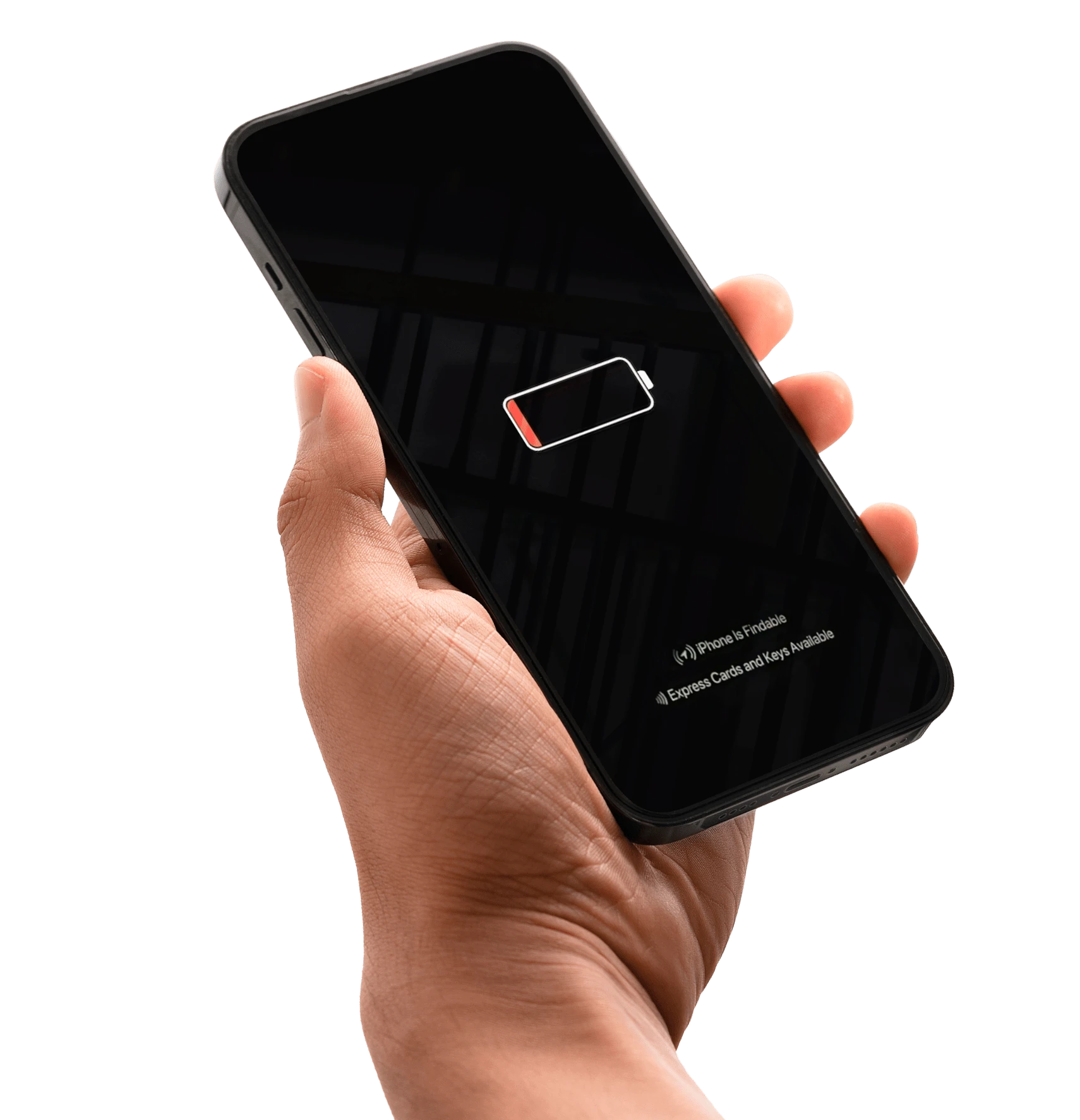
with a dead battery
Now, even if your iPhone dies, you can still get in. Thanks to power reserve, if Express Mode is on for your access card, your device keeps enough charge to use your mobile credential and get in instantly.
Get in even
with a dead battery
still get in. Thanks to power reserve, if
Express Mode is on for your access card,
your device keeps enough charge to use
your credentials instantly.
Now, even if your iPhone dies, you can still get in. Thanks to power reserve, if Express Mode is on for your access card, your device keeps enough charge to use your mobile credential and get in instantly.
The future is simple
with a single credential
From the NÜO Card app, add your employee badge
to Apple Wallet on your iPhone or Apple Watch
and get in anywhere with ease.
Access your workplace with your digital key in Apple Wallet: from doors and elevators to speedgates, parking garages, and much more. Easy, convenient, and completely private.
Go keyless with
your iPhone or Apple Watch
Fully in sync with your day,
no hassle, no friction
Fully in sync with
your day, no hassle
DOORS
Access,
naturally
Walk up with your iPhone or Apple Watch and let technology do the rest
Speedgates have never
been this easy
Just tap your iPhone
and you’re through instantly
Manage foot traffic in and out
of your building lobby
Manage foot traffic in
and out of your lobby
SPEEDGATES
Lightning
fast
Bring Apple Wallet to your building and avoid crowds
Bring Apple Wallet to your building
and avoid crowds
Call your building’s elevators
without touching a button
Call the elevator
without touching a button
Automate floor-by-floor access
and improve vertical traffic flow
Your phone lifts the gate automatically
ELEVATORS
Next-level
access
Next-level
access
Bring Apple Wallet to your elevators: no contact, no keys, no waiting.
Your mobile credential lifts
the gate automatically
Your phone lifts the
gate automatically
No waiting, no getting out of the
car
PARKINGS
No more
waiting
Drive
right in
Bring Apple Wallet to your garage and forget remotes, cards, and waiting. Modernize your access: automatically faster, more secure.
Add Apple Wallet and modernize your access: automatically faster and more secure
Take a leap forward
Readers
compatible
with Apple Wallet
Readers compatible with Apple Wallet
Contact
us
You can leave any questions here; we will get back to you as soon as possible, and if you provide a phone number, we will give you a call.
Los datos de carácter personal que nos proporcione rellenando este formulario serán tratados por BY Techdesign, S.L., como responsable de esta web.
La finalidad de la recogida y tratamiento de los datos personales que solicitamos serán usados para relacionarnos con usted y poder prestarle nuestros servicios y dar contestación a sus consultas o peticiones. La legitimación se realiza a través del consentimiento expreso del interesado.
Conservamos sus datos durante nuestra relación y mientras nos obliguen las leyes aplicables. En cualquier momento puede dirigirse a nosotros para saber qué información tenemos sobre usted, rectificarla si fuera incorrecta y eliminarla una vez finalizada nuestra relación.
Podrá ejercer sus derechos de acceso, rectificación, limitación, portabilidad y suprimir los datos, en arco@by.com.es. En caso de que entienda que sus derechos han sido desatendidos, puede formular una reclamación en la Agencia Española de Protección de Datos (www.aepd.es).
You can consult additional and detailed information in our LEGAL NOTICE, y específicamente en el apartado 4 relativo a "Política de Privacidad".
Contact us
Any questions? We will contact you as soon as possible and if you leave us a phone, we will call you.